
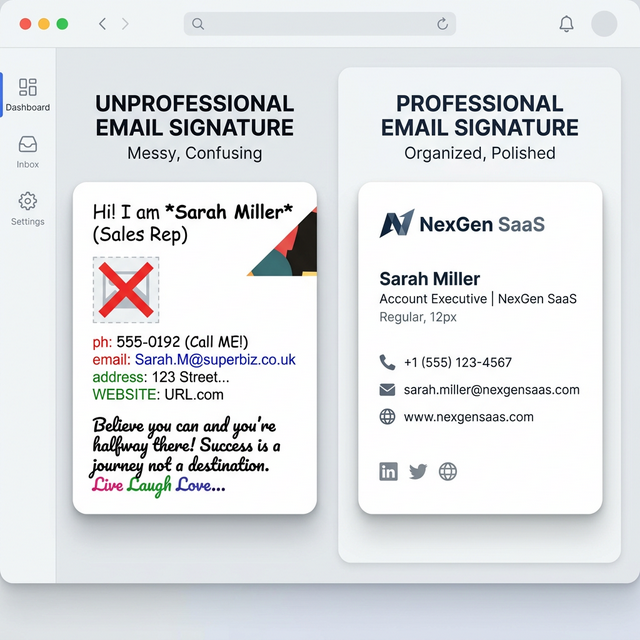
Quick Answer: What are the Best Email Signature Generators?
Based on design stability, pricing transparency, and ease of use, here are the top email signature builders to consider:
- InboxSign: Best overall free generator for independent professionals who want premium, watermark-free templates without recurring fees.
- WiseStamp: Best for heavy networkers looking for dynamic social media integrations via browser extensions.
- HubSpot Email Signature Generator: Best for an ultra-fast, 30-second basic text setup.
- Newoldstamp: Best for active sales and marketing teams executing tracked banner campaigns.
- MySignature: Best for small teams that prefer paying a SaaS fee in exchange for dashboard simplicity.
- Gimmio: Best for web design agencies constructing hyper-custom, pixel-perfect footers for external clients.
6 Top Email Signature Generators Reviewed
1. InboxSign
InboxSign operates on a very simple premise: beautiful, stable, professional email signatures should not mandate a monthly subscription or force awkward branding on the free tier.
- Overview: A completely free, native HTML generator. It forces tight layout guardrails so your signature will not break or stretch awkwardly inside dark mode or mobile Outlook apps.
- Best For: Solo founders, consultants, freelancers, and small businesses who value high-end aesthetics over dashboard automation.
- Key Features: Deep layout customization. Rigorously tested modern templates. Direct HTML copy-paste. Zero enforced watermarks.
- Explore More: InboxSign vs WiseStamp | InboxSign vs HubSpot | InboxSign vs MySignature | InboxSign vs Newoldstamp
2. WiseStamp
WiseStamp pioneered the concept of the modern email signature add-on, moving away from static text toward a fully interactive digital billboard.
- Overview: A heavy-duty builder built largely around browser extensions. It connects natively to webmail (like Gmail) to inject the signature automatically.
- Best For: Salespeople and realtors who constantly share new YouTube videos, blogs, or booking links.
- Key Features: Animated GIFs. Direct social integrations (Instagram feeds). Calendar booking buttons.
- Explore More: Read our full WiseStamp alternatives breakdown or compare WiseStamp vs HubSpot.
3. HubSpot Email Signature Generator
As the titan of inbound marketing CRM software, HubSpot offers a fast, reliable, and completely free generator.
- Overview: A straightforward, rigid builder designed to get you in and out as quickly as possible. The underlying codebase is very simple.
- Best For: Users who need a passable signature absolutely right this second and don't care about meticulous layout tweaking.
- Key Features: 6 standard templates. Native connection ties to the HubSpot ecosystem. Trusted brand.
- Explore More: See where the tool falls short in our HubSpot Signature Generator alternatives guide.
4. MySignature
MySignature acts as the perfect middle ground between HubSpot's basic tool and a massive corporate platform.
- Overview: A very polished freemium app that uses a central dashboard to keep track of footers across a small team.
- Best For: An office manager or team lead organizing signatures for a firm of 5 to 20 people.
- Key Features: Native Apple & Google Workspace sync. Easy form fields. Campaign analytics on premium tiers.
- Explore More: Review our MySignature alternatives guide.
5. Newoldstamp
Newoldstamp targets the marketing floor of mid-sized enterprise businesses.
- Overview: It is effectively an email marketing tracking service disguised as a signature builder. You can schedule promotional banners (e.g., "Join our Webinar") to cycle passively through employee outgoing mail.
- Best For: B2B marketing departments utilizing email footprints as measurable blank ad space.
- Key Features: Robust click analytics. Global banner synchronization. Deep Google Workspace integration.
- Explore More: Trying to leave? Read our Newoldstamp alternatives list.
6. Gimmio
Formerly known as ZippySig, Gimmio is incredibly powerful but equally complex.
- Overview: A drag-and-drop structural editor that mimics website builders. You can alter borders, padding, CSS properties, and column structures infinitely.
- Best For: Graphic designers who understand structural HTML logic entirely.
- Key Features: Absolutely zero layout restrictions. Advanced CSS tuning.
- Explore More: If it’s too complex, explore these Gimmio alternatives.
Generator Comparison Summary
| Generator | Pricing Focus | Templates | HTML Customization | Best Overall For |
|---|---|---|---|---|
| InboxSign | 100% Free | Premium Variety | High | Independent Professionals |
| WiseStamp | Paid Subscription | Massive Library | Low (Free) / High (Paid) | Networkers & Social Feeds |
| HubSpot | Free | 6 Minimal | Very Bound/Rigid | Absolute Beginners |
| MySignature | Freemium (Paid heavy) | Diverse | Moderate | Small Managed Teams |
| Newoldstamp | Enterprise Subscriptions | Highly Standardized | Moderate | Mid-sized Marketers |
| Gimmio | Freemium | Basic Shapes | Pixel-Perfect | Web Designers |
How to Choose the Right Email Signature Generator
Choosing the correct application requires honesty about your own technical capabilities, your budget, and the size of your team.
If you are a Freelancer or Solo Consultant:
Do not pay a monthly subscription fee for an email signature. Finding a free, robust builder that offers unchained HTML export ensures you keep overhead costs low while maintaining a phenomenal brand aesthetic. Tools like InboxSign are built explicitly for this.
If you run a Small Business (5–30 Employees):
You have two choices. If you want everyone's signature to be identical automatically without manual copy-pasting, use a dashboard provider like MySignature. If you want to keep costs at absolute zero and don't mind having employees manually paste in their respective HTML blocks on their first day of work, use InboxSign.
If you run an Active Marketing Team:
If you want to track exactly how many times clients clicked your newest blog link buried in the footer of a sales rep's email, a dedicated marketing tracker like Newoldstamp justifies its enterprise pricing.
The Landscape: Free vs Paid Tools
One of the largest misconceptions in the industry is the distinction between "Free" and "Freemium."
Freemium Tools: Software like WiseStamp or Designhill bait users in with "free generation." However, upon finishing the build, they attach a mandatory marketing watermark underneath your name, heavily restrict your layout choices, or make exporting the pure code impossible. You must pay a subscription to unlock the professional-grade asset.
True Free Tools: Tools like HubSpot and InboxSign allow for full local generation without hidden checkout pages or watermark branding.
Why InboxSign Stands Out
InboxSign was engineered specifically to solve the freemium trap. It operates under the philosophy that a clean, beautiful digital handshake should not be locked behind a monthly software bill.
By focusing relentlessly on code stability rather than attempting to build a convoluted marketing dashboard, InboxSign ensures that every single free email signature generator export renders beautifully, natively, on both iOS Apple Mail and desktop Microsoft Outlook.
Explore the Ecosystem
Are you actively looking to migrate away from an older tool? Dive into our comprehensive breakdown hub to evaluate your current setup:
Explore Alternatives:
Direct Tool Comparisons:
Finalize Your Email Signature Today
Stop debating over software subscriptions and broken HTML wrappers. Build your digital legacy faster and easier with the free InboxSign generator.