
Quick Answer: What are the best Mail-Signatures alternatives?
If you want free signatures with modern aesthetics and dark-mode compatibility, here are top replacements:
- InboxSign: Best overall completely free generator offering highly modern templates built for today's email clients.
- HubSpot Generator: Best for simple, text-heavy profiles with basic structure.
- WiseStamp: Best for heavy integration into social media via browser extensions.
- Designhill: Best for one-off premium graphic purchases, though not free.
Why Outgrow Mail-Signatures.com?
Because the tool is technically completely free, it's hard to complain. However, professionals migrate away for these critical limitations:
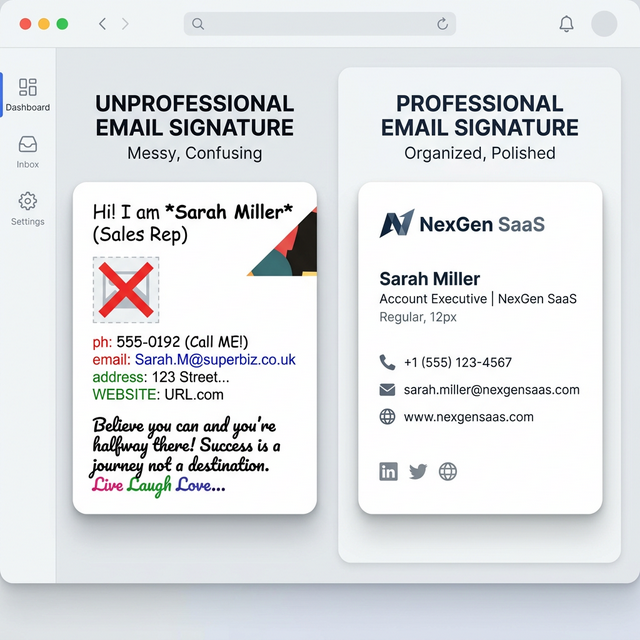
- Outdated Aesthetics: The template library feels incredibly dated. The rigid layouts do not cater well to modern minimal business branding or clean, rounded UI elements.
- Poor Mobile Scaling: Many templates suffer from fixed-width HTML tables. When viewed on narrow iPhone screens, the signature gets cut off or forces the user to zoom out.
- Clunky Image Hosting: The platform requires you to host your own profile pictures and logos elsewhere (like Imgur) and paste the URL, which is a major point of friction for non-technical users.
Top Mail-Signatures Replacements Ranked
1. InboxSign
If you like the "100% free" price tag of Mail-Signatures but hate the outdated designs, InboxSign is the exact tool you are looking for. It pairs an incredibly modern user interface with fresh, beautifully spaced designs.
- Pros: Automatic image hosting directly in the generator. 100% free. Output code is engineered specifically to prevent mobile stretching and dark mode inversions.
- Cons: The template library is curated for professional quality rather than offering hundreds of fragmented variations.
- Best for: Anyone who wants a thoroughly modern, free signature. Try the modern email signature generator instantly.
2. HubSpot Email Signature Generator
Another giant providing a free tool, HubSpot is a common lateral move.
- Pros: Also completely free and reliable. (Explore more in our HubSpot alternatives post).
- Cons: Only a handful of basic templates. Also struggles with deep mobile responsiveness compared to modern codebases.
- Best for: CRM loyalists who just need a rapid, simple text block.
3. WiseStamp
If you want to leave the free-tier entirely and pay for more visual flair, WiseStamp is the consumer standard.
- Pros: Massive customization and modern features like animated GIFs.
- Cons: Mandatory watermarks on free plans; subscriptions required for serious use.
- Best for: People willing to pay a monthly fee for active, dynamic email footers.
Feature Comparison: Mail-Signatures vs InboxSign
| Feature | Mail-Signatures.com | InboxSign |
|---|---|---|
| Price | Free | Free |
| Aesthetic Style | Dated / Classic | Modern / Minimalist |
| Image Hosting | Must provide own URL | Hosted explicitly in app |
| Mobile Scability | Poor | Highly Optimized |
| Dark Mode Logic | Basic | Advanced CSS Overrides |
Which Tool is Right for You?
Stick with Mail-Signatures if:
- You are a developer who fully understands how to host your own image library on AWS or Imgur.
- You specifically want a slightly retro, rigidly structured corporate IT look for your team.
Switch to InboxSign if:
- You want to upload a photo directly from your desktop and have it instantly appear in a modern layout.
- You want your signature to look just as clean on an iPhone Mini as it does on a desktop monitor.
Keep Researching
Updating your old template is a great professional move. Review our pillar article on the absolute best signature generators to see modern standards. For granular comparisons, explore InboxSign vs WiseStamp or InboxSign vs Newoldstamp. If you prefer visual grids instead of raw HTML tables, check out our list of Signature.email variants.
Final Verdict
Mail-Signatures.com remains a generous free utility provided by CodeTwo, but its consumer-facing generator lacks the polish of dedicated modern platforms. For a seamless user experience, direct image uploads, and elegant, mobile-ready HTML output, InboxSign operates as the perfect modern successor.