
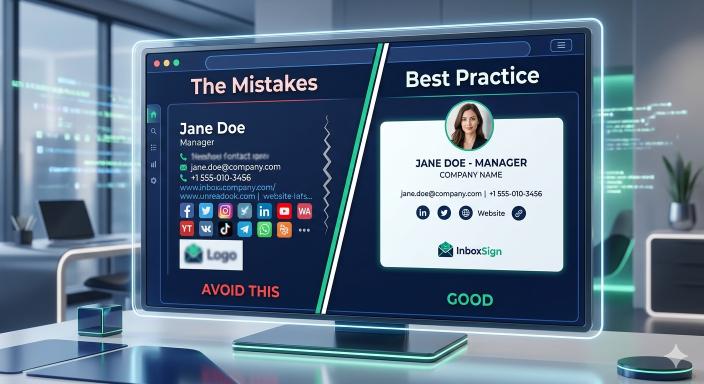
Quick Answer: What are common email signature mistakes?
Email signature mistakes like using image-only formats, adding excessive contact details, listing personal quotes, or failing to test for mobile responsiveness can damage your professional credibility and trigger spam filters.
Why trust InboxSign
Our editorial team validates every email signature template against 20+ real-world email clients, including Gmail, Outlook, and Apple Mail. We focus on business communication clarity and usability, ensuring your professional identity works perfectly without technical friction.
Common email signature mistakes
Common email signature mistakes include:
- Image-only signatures (often blocked by default)
- Too many contact details (creates confusion)
- Large image files (slow loading and spam risks)
- Personal quotes (distracting for business)
- Broken or old links (looks unprofessional)
- Mobile layout issues (hard to read on phones)
What is a professional email signature?
A professional email signature is a structured block of information at the end of an email that identifies the sender. It typically includes a name, job title, company, and clickable contact details. Unlike a simple text line, a high-quality business email signature uses clean HTML to ensure images load correctly and links remain functional across all devices.
Why email signature mistakes reduce response rate
When a signature is cluttered or broken, it increases cognitive load for the recipient. If a client can't easily find your phone number or if a broken image creates a "messy" impression, they are less likely to engage. Avoiding email signature mistakes is a simple way to remove friction and encourage faster replies.
Bad email signature examples
To understand what to avoid, look at these common "broken" signature styles:
❌ The "Blue Link" Mess
John Doe | CEO | My Company | 555-0199 | john@email.com | www.mywebsite.com | Follow me on LinkedIn, Twitter, Instagram, Facebook, TikTok.
- Why it's bad: It's a wall of text. The recipient has to hunt for the phone number, and the long list of social links looks like spam.
❌ The "Mystery Box"
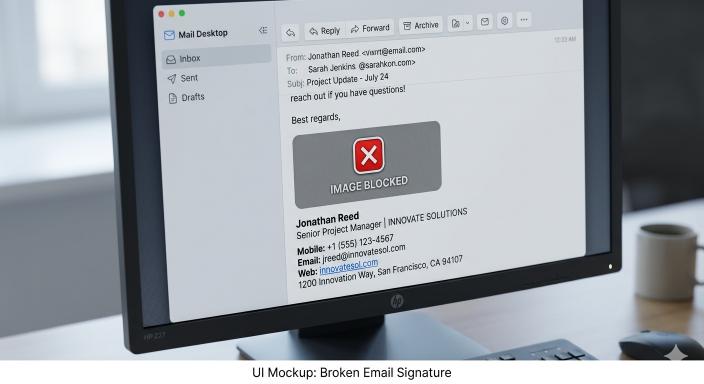
[Red X Icon] John Doe
- Why it's bad: This is an image-only signature where the image was blocked. The recipient has no way to find your website or call you because the info is trapped inside a broken file.
Professional email signature rules
To stay professional, follow these simple rules:
- Keep it under 4 lines of text whenever possible.
- Use only one phone number (the best one to reach you).
- Stick to 2-3 social icons max.
- Ensure images are under 50KB for fast loading.
- Always use web-safe fonts like Arial or Helvetica.
11 Critical Email Signature Mistakes to Avoid
1. The Image-Only Signature
Many people create their signature as one large image.
Problem: If the image doesn't load (blocked by default in many apps), your recipient sees nothing but a blank box.
Fix: Use actual text for your contact details. You can follow our Gmail setup guide to see how to add text correctly.
❌ Image-only signature
→ Contact details disappear if images are blocked.
✅ Text-based signature
→ Always visible, searchable, and easy to copy.
2. Too Many Contact Options
Listing every possible way to reach you (office, cell, fax, 5 social links).
Problem: Choice overload makes it harder for people to decide how to contact you.
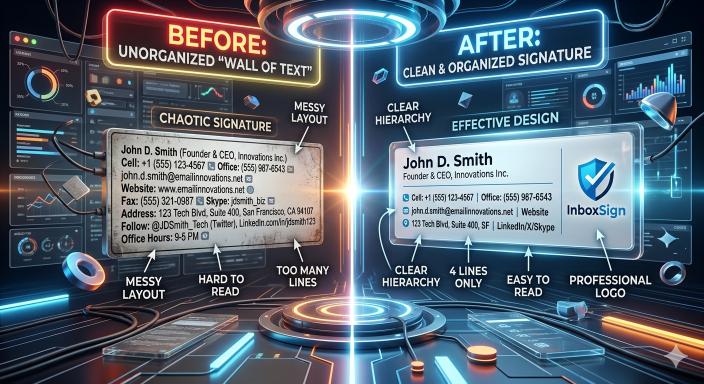
Fix: Stick to one primary phone number and your most important website link. Review our email signature templates to find a balanced, minimal layout, or use a professional email signature generator to automate the design.
3. Oversized Image Files
Using high-resolution logos that aren't optimized for web.
Problem: Large files slow down email loading and can trigger spam filters.

Fix: Keep images under 50KB. Refer to our signature size guidelines for exact dimensions.
4. Motivational Quotes
Adding personal slogans or quotes at the bottom of business emails.
Problem: Distracts from your professional message and can look amateur.
Fix: Keep it focused on your professional details and let your message do the talking.
Save time and avoid broken formatting. Use a free email signature generator to ensure your layout works instantly across all email apps (including Gmail and Outlook) without any technical headache.
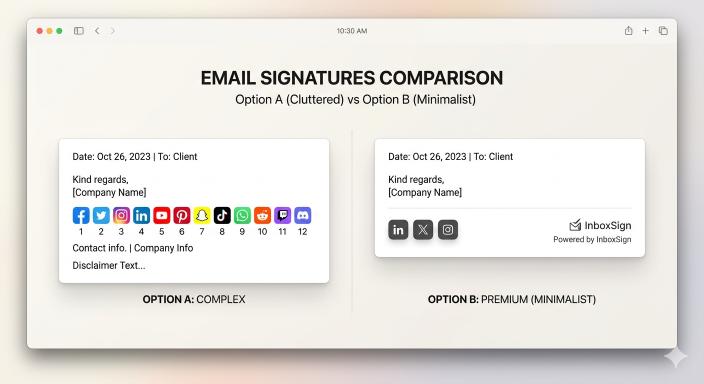
5. Cluttered Social Media Icons
Including icons for every platform you use, even personal ones.
Problem: It looks messy and draws attention away from your main call to action.
Fix: Limit social icons to 2-3 professional platforms like LinkedIn or X.
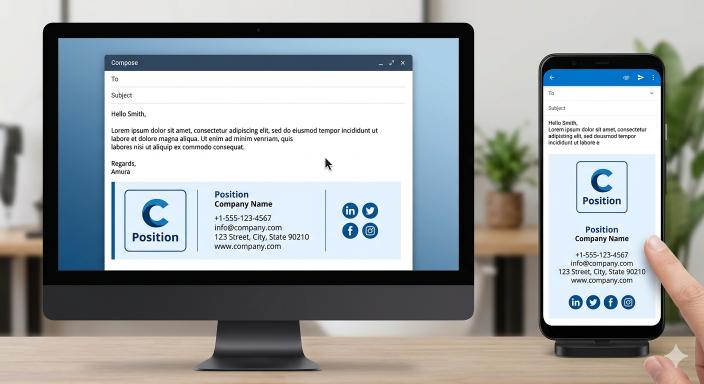
6. Not Testing on Mobile
Designing only for desktop screens and wide layouts.
Problem: Wide signatures break layout on phones, forcing horizontal scrolling.
Fix: Keep your signature width narrow (around 400px). Check the signature size guidelines for exact mobile specifications to prevent layout breaking.
7. Broken or Outdated Links
Links that lead to 404 pages, old campaigns, or expired sites.
Problem: Suggests a lack of attention to detail and loses valuable traffic.
Fix: Test your links monthly to ensure they still go to the right destination.
8. Hard-to-Read Fonts
Using decorative, "fun," or non-standard fonts.
Problem: Often doesn't render on other computers and makes your text hard to scan.
Fix: Stick to standard, clean font families that are easy on the eyes on all devices.
9. Including Your Own Email Address
Writing your email address inside the signature block.
Problem: It takes up a full line of space for info the recipient already has.
Fix: Remove it to save space for a more useful email signature template element like a booking link.
10. Inconsistent Team Branding
Letting every employee design their own signature independently.
Problem: Makes the company look disorganized and weakens your brand identity.
Fix: Use a standardized email signature generator to maintain consistent branding for everyone.
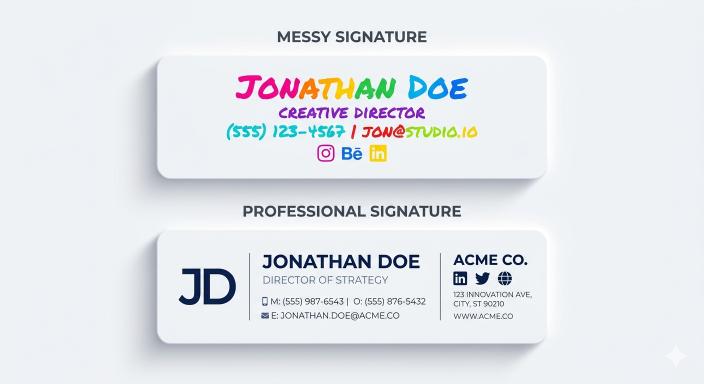
11. Using too many colors
Using a rainbow of colors in your contact rows.
Problem: Looks unprofessional and makes it harder to identify the most important info.
Fix: Stick to 1-2 brand colors that match your logo.
Business email signature best practices
Following these rules will ensure your signature remains professional and helpful.
Professional email signature comparison
| Feature | ❌ Bad Signature | ✅ Good Signature |
|---|---|---|
| Format | Single large image | Clean HTML with text |
| Contact Info | Multiple phone/email | Single direct phone number |
| Links | Broken or too many | 2-3 functional links |
| Mobile UX | 600px+ width | 320px-440px width |
Cluttered vs Clean email signature
| Element | ❌ Cluttered (Bad) | ✅ Clean (Good) |
|---|---|---|
| Fonts | 3+ different fonts | 1 standard font family |
| Colors | 4+ bright colors | 1-2 brand colors |
| Icons | 5-10 social icons | 2-3 social icons |
| Spacing | No padding or gaps | Clear, readable spacing |
What a professional email signature should include
A high-quality business email signature should be minimal but effective:
- Full name (identifies you instantly)
- Job title (provides context for your role)
- Company name (establishes your organization)
- Phone number (direct contact method)
- Website or booking link (easy next step)
How to fix your email signature quickly
If you noticed any of these errors in your own footer, you can fix them in minutes:
- Remove unnecessary details like personal quotes or extra phone numbers.
- Optimize your images to ensure they are under 50KB.
- Use a standard layout that is narrow enough for mobile screens.
- Test your links to make sure they all work correctly.
The easiest way to avoid these issues is to create a professional email signature using a reliable tool that handles the formatting for you.
Frequently Asked Questions
Do email signatures affect replies?
Yes. A clean signature makes it easier for people to contact you, which often leads to faster and more frequent replies. You can create a professional email signature that encourages engagement by keeping it simple.
Should I include social media links?
Only if they are relevant to your work. Stick to 1-2 important platforms like LinkedIn so you don't clutter the layout.
What is the best format for an email signature?
HTML is the best format because it allows for clickable links, searchable text, and better layout control across different email apps.
How long should an email signature be?
The best signatures are between 3 to 5 lines. Anything longer often gets ignored or makes the email thread look messy.
Do I really need to avoid images?
No, you can definitely use a logo or a headshot. Just don't make the *entire* signature an image. Keep your contact details as real text so they are always readable.
If you want a professional signature that just works across Gmail, Outlook, and Apple Mail, use our email signature generator. It automatically handles the formatting and mobile-responsiveness for you.