
Quick Answer: The Quarterly Audit Strategy
To keep your email signature professional and relevant, follow the 3-3-3 Rule:
- Every 3 Months: Perform a link audit and swap your marketing banner.
- Every 3 Seconds: Ensure your signature loads instantly on all devices.
- Every 3 Clicks: Check that your UTM tracking is capturing seasonal ROI correctly.
The ROI of 'Fresh' Signature Content
Why does a seasonal refresh matter for your bottom line?
- Improved CTR: Fresh visuals (banners) combat "banner blindness." A recipient who sees your email daily is more likely to click a "Summer Sale" banner than a generic logo they've seen for a year.
- Trust & Authority: A current signature shows you are active and attentive. It signals that if you care about the small details of your footer, you care about the small details of your client's business.
- Accurate Data: Regular audits prevent link rot and ensure your call-to-action always points to your most profitable current offer.
The Quarterly Signature Roadmap
Follow this schedule to ensure your digital identity stays ahead of the curve.
Q1 | Spring: The Link & Social Audit
Focus: Professional Cleanup
- Link Audit: Check every social icon and website link for 404 errors. Handles change, and older blog posts get moved.
- Title Refresh: Ensure everyone on the team has their current, promoted job title.
- Visual Polish: Check for "fuzziness" on Retina displays. If your logo looks dated, consider the Retina Logo strategy.
Q2 | Summer: OOO & Accessibility
Focus: Logistics & Mobile Utility
- Vacation Awareness: Instead of just an auto-reply, add a subtle line: *"Out of office from July 5th – 15th."* This manages expectations before the email is even sent.
- Mobile Check: Summer is a high-mobile usage period. Ensure your mobile-responsive layout is narrow enough for outdoor phone viewing.
- Dark Mode Test: Ensure your colors don't "vibrate" in the high-contrast environments common in travel/outdoor use.
Q3 | Fall: Major Campaign Launches
Focus: Performance Marketing
- Webinar & Event Prep: Use your signature to drive traffic to your Q4 events or whitepaper launches.
- Banner Scaling: Ensure your marketing banners are hosted on a secure HTTPS server to prevent "Broken X" icons in high-security corporate environments.
- A/B Testing: Try two different banner designs across your team to see which drives more clicks via your UTM tags.
Q4 | Winter: Holiday Branding & Gratitude
Focus: Relationship Equity
- Gratitude Banners: Swap your sales CTAs for "Thank you for a great year" or "Happy Holidays" messages.
- Holiday Hours: Clearly state your end-of-year closing dates to avoid client frustration.
- Yearly Metadata: Update your copyright year and any 2026 disclaimer placeholders.
Technical Checklist for Every Refresh
Before deploying your "Fresh" signature, validate these 5 points:
- Hosted Image Security: Are all seasonal assets on an HTTPS server?
- Alt-Text Accuracy: Does your "Summer Sale" banner have descriptive Alt-Text for screen readers?
- Dark Mode Visibility: Does your holiday logo disappear on black backgrounds?
- Total File Size: Is the entire signature package under 100KB to avoid Gmail clipping?
- UTM Consistency: Are your seasonal tags lowercase and correctly formatted?
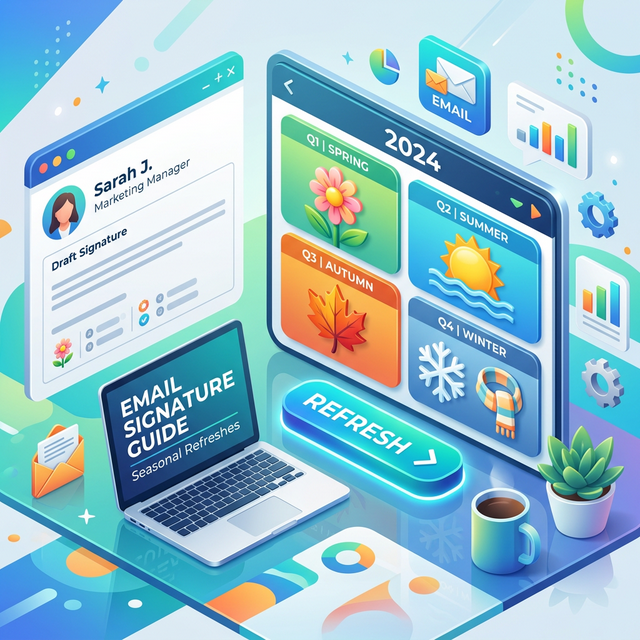
*Caption: A strategic roadmap ensures your signature never goes stale.*
Automated Scheduling: The Pro Choice
Managing seasonal refreshes manually for a team is an operational nightmare.
- The Problem: You send an email to 50 employees asking them to update their banner. 2 weeks later, half the team still has the "Christmas" banner in January.
- The Solution: Use InboxSign Automated Banner Scheduling.
- How it works: You upload your Q4 "Holiday Message" to the dashboard, set the date range (Dec 1st – Dec 25th), and the system automatically pushes the update to every employee signature and reverts it on Dec 26th.
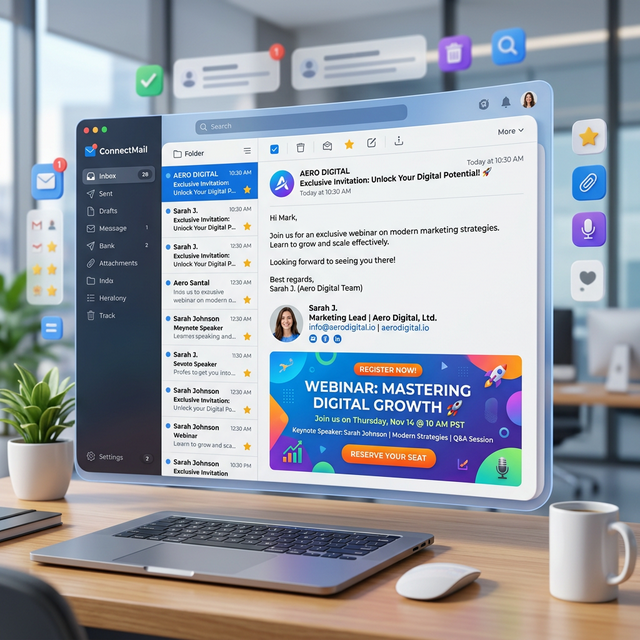
*Caption: InboxSign allows you to schedule seasonal content updates in advance, ensuring 100% team consistency.*
Avoiding "Seasonal Clutter"
While refreshing is good, over-designing is a risk.
- Don't use "snow" or "leaves" or animated GIFs for your whole background. It triggers spam filters and looks unprofessional.
- Keep it to a single banner. The core of your signature (Name, Title, Website) should remain stable.
- Limit the colors. Match your seasonal banners to your primary brand colors to maintain identity cohesion.
Send Emails with Confidence in Every Season
Stop being the person with the "Happy Holidays" banner in February. Turn your footer into a living part of your marketing strategy.
Start your first seasonal refresh today by building a scheduled signature and tracking ROI with InboxSign.
Refer to our Gmail setup guide to ensure your new seasonal design is installed correctly on your primary platform.