
Quick Answer: vCard vs HTML Signature
- vCard (.vcf) represents your contact file; it is a data-storage format designed for address books.
- HTML Email Signature represents your visual identity; it is a presentation layer designed for the body of your emails.
Which should you use?
- Use HTML → For daily professional communication and visual branding.
- Use vCard → For saving contacts to a phone or PC instantly.
- Use both → To provide immediate branding with an optional "Add to Contacts" feature for best results.
vCard vs HTML Signature (Visual Difference)
The core difference is visibility. One is invisible until opened (vCard), while the other is an integrated part of your message (HTML).
- vCard: Appears as a file attachment or a link. It requires the recipient to click and 'Import' to see the data.
- HTML: Renders automatically inside the email client, showing your logo, job title, and social links instantly.
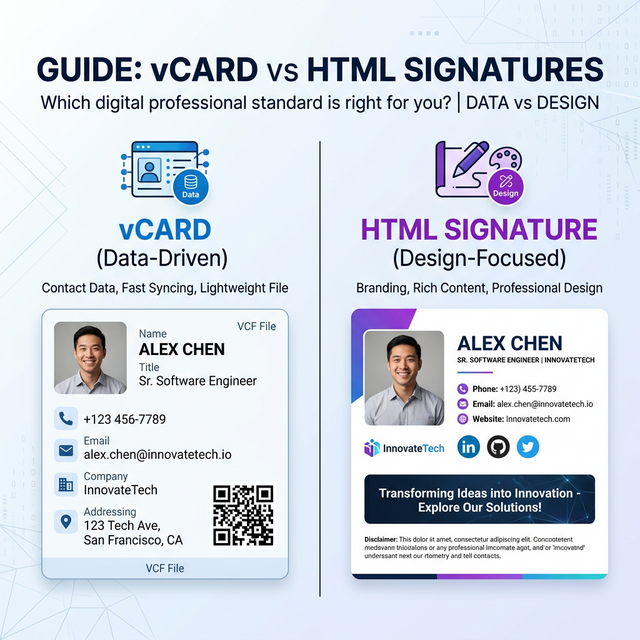
*Caption: vCard is a data-driven contact file; an HTML signature is a design-centric visual identity.*
The Technical Anatomy of Digital Identity
Understanding the difference between these two requires looking at what happens "under the hood."
The Simple Analogy: vCard is like the data stored in your SIM card, while an HTML signature is like the printed business card you hand someone. One is for storage; the other is for presentation.
vCard (.vcf) = Structured Data
A vCard is a text file that follows a strictly defined schema (Version 4.0 is current). When a device like an iPhone or an Android phone "reads" this file, it knows exactly which text belongs in the "Last Name" field and which is the "Work Mobile" number.
HTML Signature = Rendered Layout
An HTML signature is built using CSS and HTML tags (specifically based layouts for Gmail signature setupssocial icons
vCard: The Universal Contact Standard
The primary strength of the vCard is its ability to bypass manual data entry.
How it works in the real world:
When someone taps a vCard file on their phone, it doesn't just show them your info—it opens a native contact save screen.

*Caption: vCard integration allows for one-tap contact saving across all major smartphones.*
HTML Signatures: The Presentation Layer
This is why 99% of business emails rely on HTML signatures. It is the only way to ensure your HTML signatures are seen every single time you hit 'Send'.
How it works in the real world:
Unlike a vCard, which is hidden behind a click, the HTML signature is what recipients actually see in your email. It builds trust through visual consistency.

*Caption: HTML signatures leverage WebKit and Outlook rendering to display your brand instantly in every reply.*
Key Differences: vCard vs. HTML Signature
| Feature | vCard (.vcf) | HTML Signature |
|---|---|---|
| Primary Purpose | Contact Data Storage | Visual Brand Display |
| Visibility | Hidden (Attachment/Link) | Always Visible (Email Body) |
| Interaction | User must save to view | Recipient views instantly |
| Mobile UX | Native "Add Contact" | Visual responsive layout |
| User Interaction | Required (Save action) | Passive (View action) |
| Analytics | Hard to track locally | Easy to track via UTMs |
When Each Standard Fails (Technical Risks)
Where vCards Fail
- Spam Flags: Sending a .vcf file as a direct attachment in a cold email is a massive red flag. Enterprise filters often drop these messages entirely to protect against potential malware hidden in attachments.
- Desktop Friction: While mobile users love vCards, desktop users often find the import process into Outlook or macOS Contacts clunky and full of security dialogs.
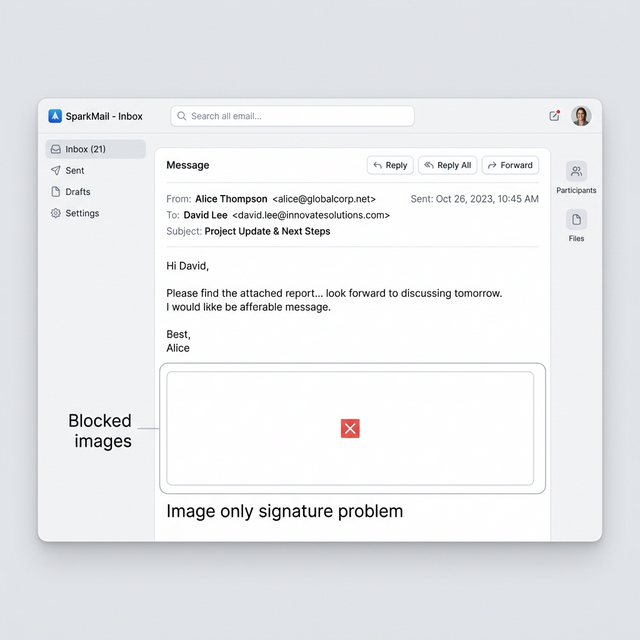
*Caption: vCard attachments can occasionally trigger caution banners in high-security business environments.*
Where HTML Signatures Fail
- Outlook Rendering: Microsoft Outlook uses the Word rendering engine, which often strips out basic CSS padding or resets fonts. Without a proper signature generator, your signature can look like a broken mess.
- Dark Mode Inversion: If you don't use transparent assets, your logo might appear inside a white box when a recipient uses Dark Mode, damaging your brand's aesthetics.
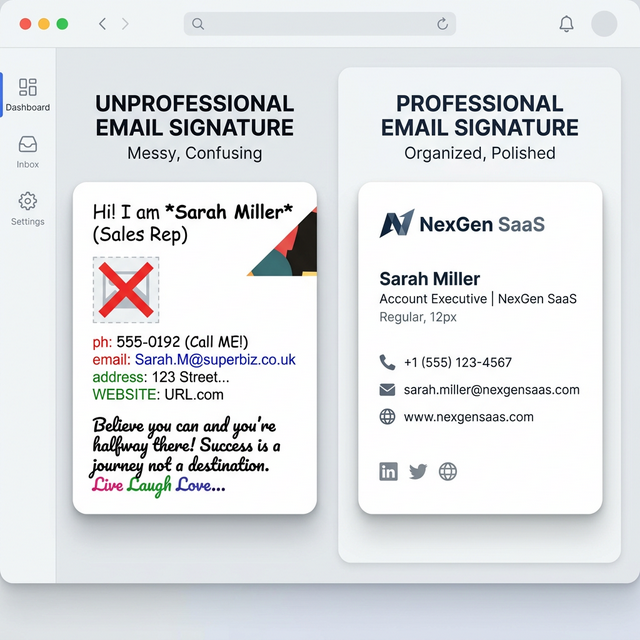
*Caption: Complex HTML signatures can break in legacy versions of Outlook if not properly table-structured.*
The Hybrid Strategy: The Industry Best Practice
The Flow:
- Your recipient opens your email.
- They see your beautiful HTML Signature.
- They see an "Add to Contacts" button.
- Clicking that button downloads a vCard that populates their address book instantly.

*Caption: The "Gold Standard": A professional HTML signature with a built-in "Save Contact" button.*
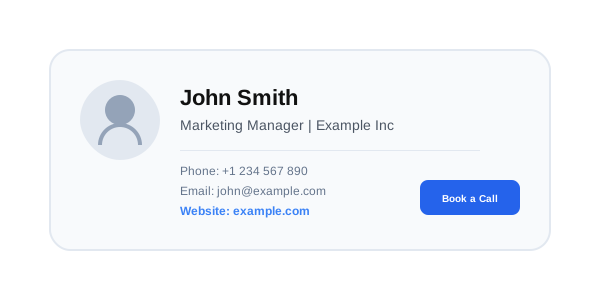
*Caption: How the hybrid strategy works: Visual branding makes the impression, vCard provides the data.*
Real-World Scenarios
- Sales & Cold Outreach: Use a text-light HTML signature with a hosted "Save Contact" link. Never use a direct attachment.
- Networking & Events: Use a QR code on your phone that points directly to your hosted vCard file for instant "handshake-to-phone" data transfer.
- Internal High-Volume Email: Stick to a simple, minimal signature. Your coworkers don't need to download your vCard every time you reply.
Upgrade Your Digital Identity
Managing both formats manually is a technical headache that often leads to broken layouts and lost contacts.
Instead of dealing with manual coding, InboxSign allows you to generate a professional HTML signature with a built-in, hosted vCard download link that works seamlessly across Gmail, Outlook, and mobile devices.
*Technical verification completed for 2026 digital identity standards.*