
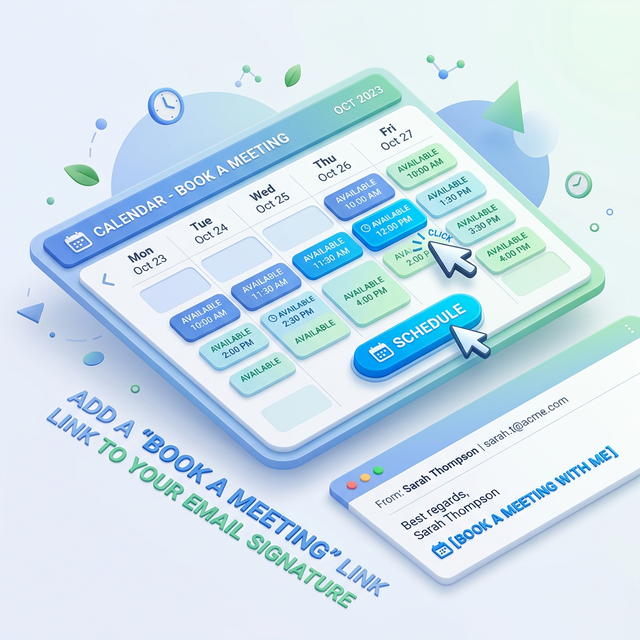
Quick Answer: How to Add a Meeting Link to Your Signature
To add a booking link (like Calendly or HubSpot) to your signature, follow these 5 steps:
- Copy your personal URL: Get your invitation link from your scheduling dashboard.
- Open Signature Settings: Navigate to 'Settings' in Gmail or Outlook.
- Format your CTA: Type a clear instruction like "📅 Book a Meeting."
- Insert the Hyperlink: Highlight the text and use the 'Insert Link' tool (
Ctrl+K).
- Save & Test: Send a test email to verify the link works on mobile.
Why Booking Links Increase Conversions
Modern business is about speed and convenience. If you want a Gmail signature that actually works, you have to prioritize the recipient's time. Here is the logic behind why a booking link is a mandatory marketing tool:
- Removes Decision Delay: When a prospect sees a booking link, the "Next Step" is clear and immediate. There is no need to wait for a reply or debate availability.
- Instant Gratification: In a B2B context, getting a meeting on the calendar *now* provides a sense of progress that keeps the lead engaged with your brand.
- User Power: Giving the recipient the power to choose a time that works for them signals respect and professionalism, reducing the pressure of the "sales hunt."
- No Friction = More Bookings: Every extra step you ask a person to take reduces the chance of them taking it. A one-click booking process is the ultimate low-friction conversion path.
The Conversion Formula:
Clear Value + Low Effort = High Conversion
What a Booking Link Looks Like in a Signature
A professional booking link should be integrated into your visual hierarchy, not tacked on as an afterthought. It should feel like a utility—a helpful resource rather than a pushy advertisement.
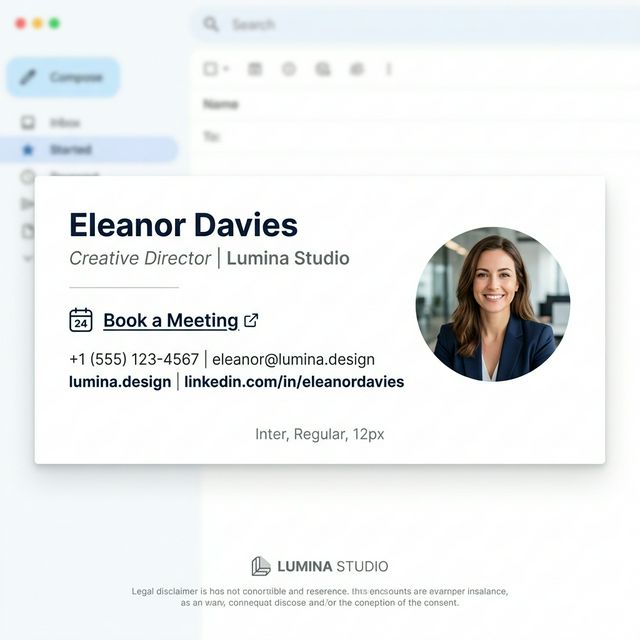
*Caption: Example of a booking link inside an email signature. Notice how the use of an icon and bold text draws the eye toward the action.*
Step-by-Step Setup (Core Guide)
Step 1: Get Your Primary Booking Link
Log into your preferred tool (Calendly, HubSpot, etc.). Navigate to the specific "Event Type" you want to promote—usually a "15-minute Discovery" or "30-minute Demo." Click "Copy Link" or "Share."
Step 2: Open Your Email Platform Settings
- Gmail: Click the Gear icon > See all settings > Scroll to the 'Signature' section.
- Outlook Desktop: File > Options > Mail > Signatures.
- Outlook Web: Settings (Gear) > Mail > Compose and reply.
Step 3: Craft Your Call to Action (CTA)
Don't just paste a raw URL like https://calendly.com/user/15-min. Instead, write a benefit-driven line of text. We recommend using a emoji like 📅 or 🤝 to increase the visual "click-target" size.
Step 4: Insert the Hyperlink (The Pro Way)
Highlight your CTA text. Click the 'Link' icon (or press Ctrl+K). Paste your booking URL into the address field. If you are using a professional signature best practices approach, ensure the link is set to open in a new tab.
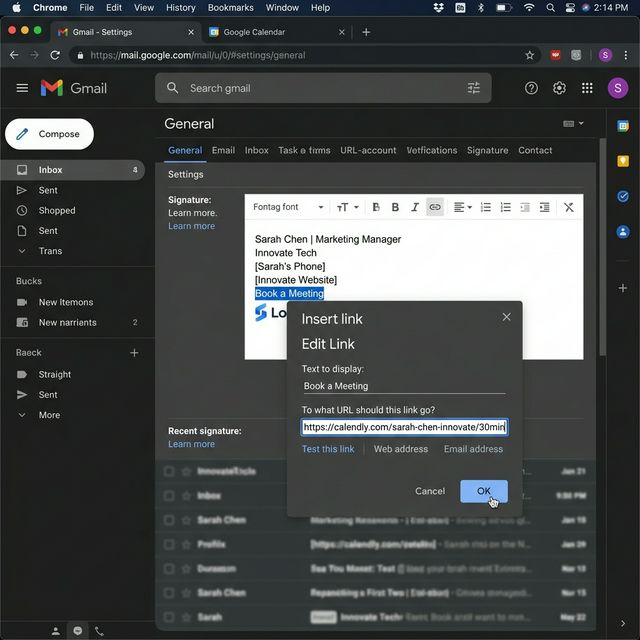
*Caption: Adding a booking link inside Gmail signature. Highlighting the text ensures a clean look without raw URLs.*
Step 5: Final Validation (The Test)
Always send a test email to your own phone. Tap the link. Does it open your calendar instantly? Is the page mobile-friendly? If not, you may need to adjust the link or use a different scheduling tool.
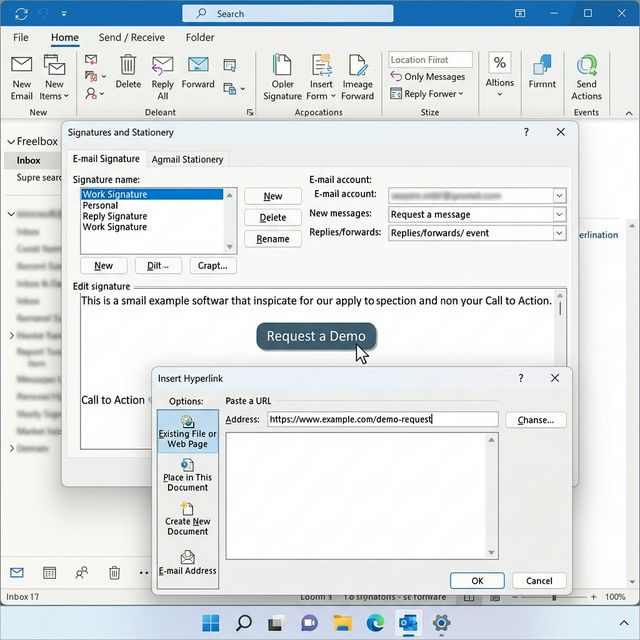
*Caption: Adding booking link in Outlook signature settings. Consistency across platforms ensures your brand remains elite.*
Top Tool Setup: Calendly & HubSpot
Different platforms offer unique advantages for your calendly email signature.
1. Calendly (The Industry Standard)
Calendly is beloved for its simplicity. To maximize conversions:
- Event Types: Use a specific "Intro" event rather than your general availability.
- Personalization: Add your headshot to your Calendly profile. When a recipient clicks from your signature, seeing the same face on the booking page builds instant trust.
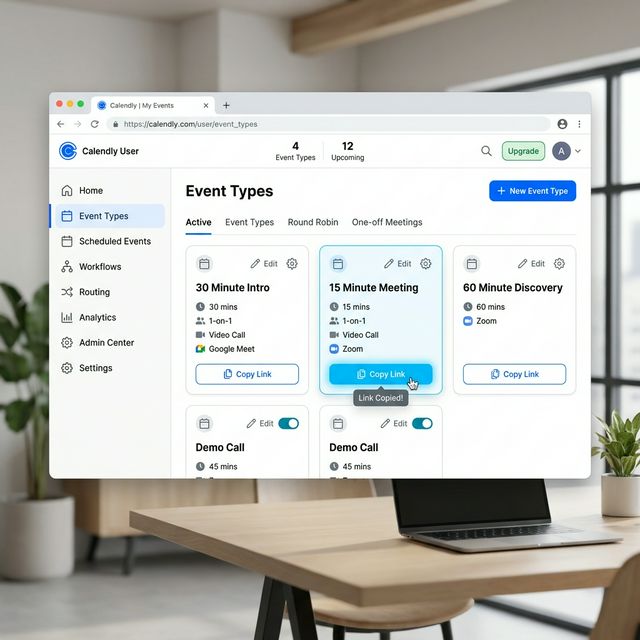
*Caption: Copy your scheduling link from the Calendly dashboard to ensure you are promoting the right event type.*
2. HubSpot Meetings (CRM Integration)
If you use HubSpot Sales, your booking link is already tied to your CRM records.
- The Perk: When someone books from your signature, HubSpot can automatically create a new lead record or update an existing one.
- Tracking: HubSpot allows you to see exactly which contact clicked your signature link, providing deep sales intelligence.
CTA Copy That Actually Converts
"Click here to book" is boring and low-authority. To increase your results, use copy that focuses on the benefit or the outcome of the meeting.
| Weak CTA | Professional Upgrade | Why it Works |
|---|---|---|
| Book a call | 📅 Book a 15-minute intro | Specifies the duration and low commitment. |
| Click to schedule | 🚀 Start your onboarding quest | Uses action-oriented, energetic language. |
| My calendar | ☕ Grab a virtual coffee | Friendly, casual, and builds human connection. |
| See my availability | 🏢 Schedule a product tour | Clear value proposition (Seeing the product). |
Where to Place Your Link (Visual Hierarchy)
Placement is a game of psychology. If you hide your link at the very bottom, it will be ignored. If you put it at the very top, it feels pushy. The ideal placement is in the "Utility Stack"—the area just below your contact information but above any marketing banners or legal disclaimers.
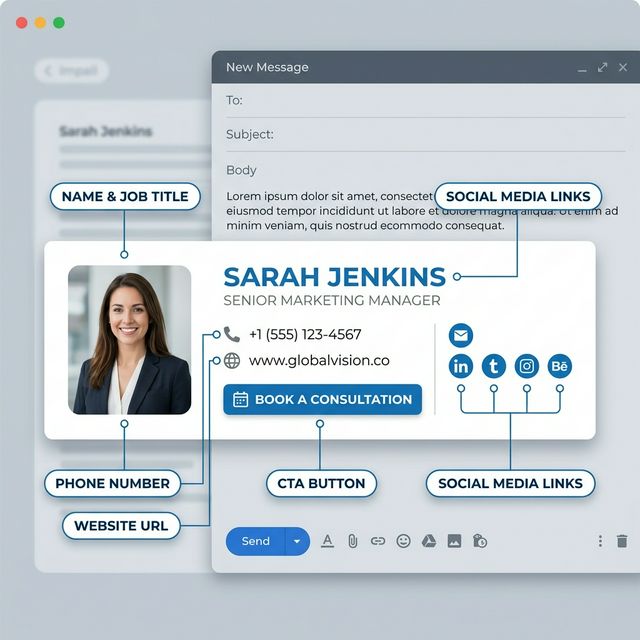
*Caption: Best placement for a booking link in an email signature ensuring it follows the flow of your identity.*
Button vs. Text Link: Which is Better?
This is a common debate in signature marketing.
- The Button CTA:
- Pros: High visibility, "tappable" on mobile, looks professional and modern.
- Cons: Can sometimes be blocked by strict corporate filters that hide images by default.
- The Text Link:
- Pros: 100% deliverability, looks natural and "un-salesy," works even when images are blocked.
- Cons: Lower visual impact, can be missed if the signature is text-heavy.
Pro Tip: Use a "Hybrid" approach. A bolded text link with a small calendar icon often provides the best balance of visibility and safety.
Mobile Experience: Thumb-Friendly Scheduling
Over 60% of business emails are opened on a smartphone. Your booking CTA must be designed for a thumb, not a mouse cursor.
- Generous Spacing: Ensure there is enough padding around your link so people don't accidentally click your LinkedIn icon instead.
- Narrow Layouts: Keep your signature width under 450px to prevent the booking link from being "clipped" or forced off-screen.
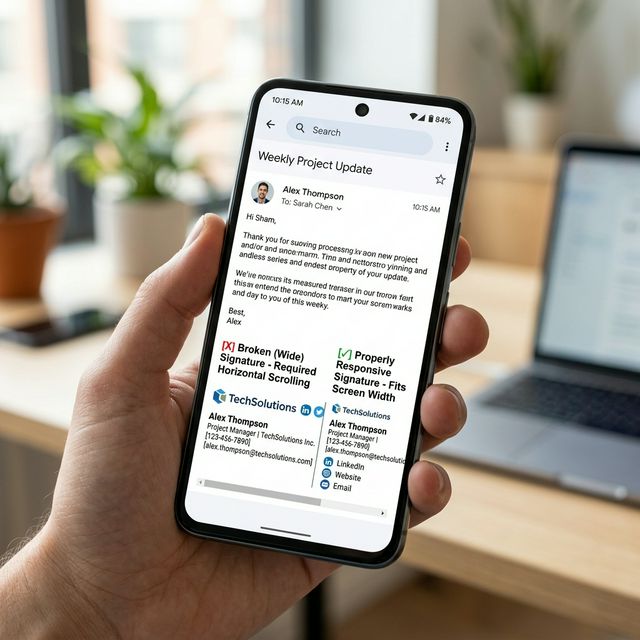
*Caption: Booking links must be easy to tap on mobile to prevent user frustration.*
Tracking Your ROI with UTMs
If you aren't tracking your clicks, you are guessing. Always use our UTM tracking guide to build a link for your booking page.
Example UTM Parameters:
utm_source=email_signature
utm_medium=signature_cta
utm_campaign=booking_link_2026
This allows you to see exactly how much "free" traffic your footer is generating and which team members are most effective at driving meetings.
The Ultimate Booking Link Checklist
Before you hit 'Save,' perform this 30-second audit:
- Is it 'Personal'? Does the link go to YOUR calendar, not a generic team page?
- Does it open in a new tab?
- Is the text bolded? (Increases visibility on small screens).
- Have you tested it on iPhone and Android?
- Is there a clear value prop? (e.g., "Intro," "Demo," "Strategy Call").
FAQ: Meeting Links in Signatures
Should I put a link to my personal calendar in my work signature?
Only if you are comfortable with anyone who receives your email seeing your availability. Most professionals use a "Limited" event type in Calendly that only shows specific blocks of time to maintain privacy.
Do I need to include a time zone?
No. Modern scheduling tools like HubSpot and Calendly automatically detect the recipient's time zone and adjust your availability accordingly.
Can I include my booking link in my 'Reply' signature?
Yes! In fact, the reply signature is often the most effective place for a booking link because the conversation is already active.
Instead of manually fighting with formatting and broken links, use InboxSign to create a professional booking CTA that works across all clients. Turn every email into a meeting opportunity by adding a high-converting booking link with InboxSign today.